By Jonathan Ross, Director Marketing, searchHub, and Daniela Levitin, Marketing Manager, WEBSALE AG
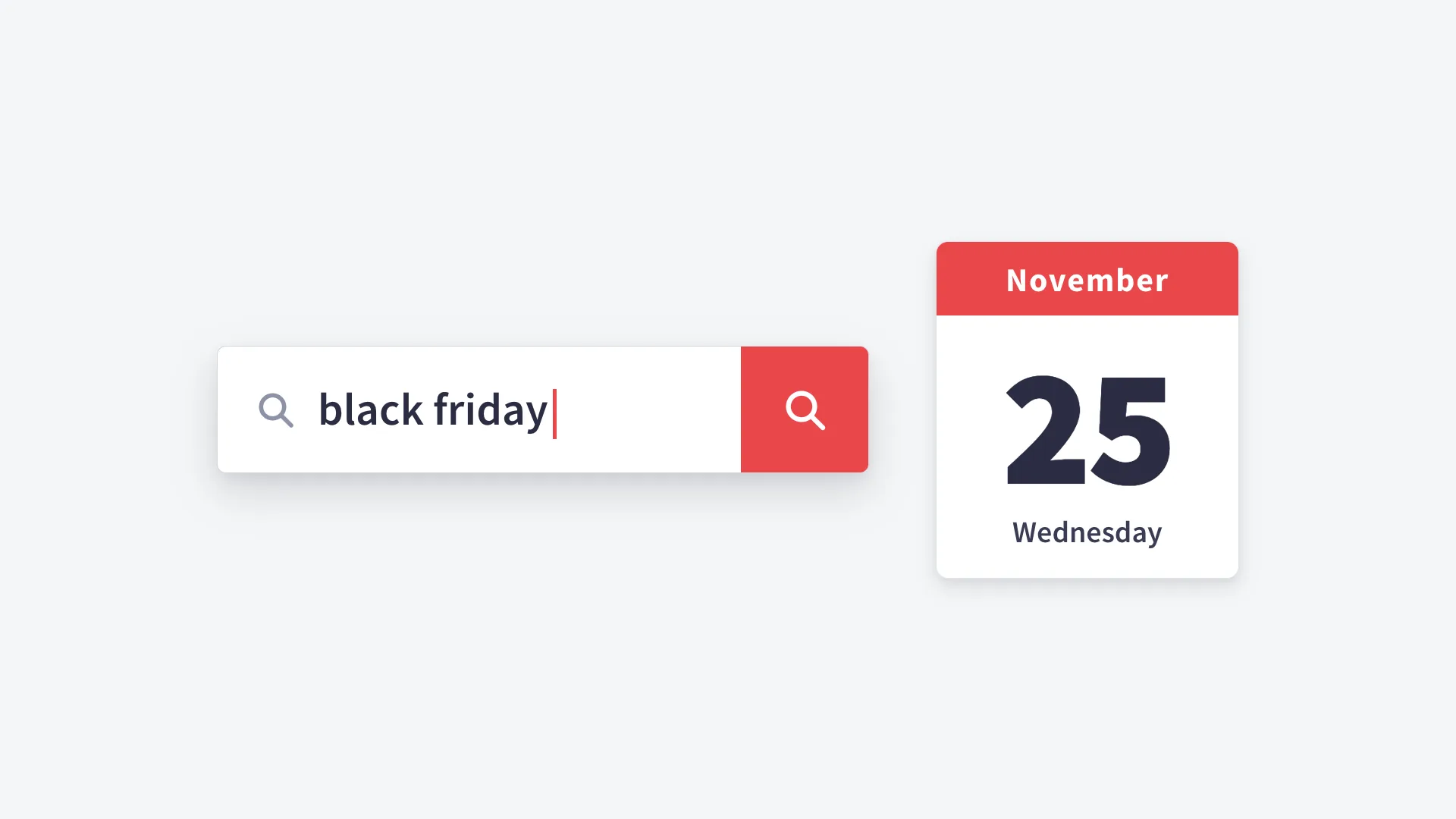
As you know, the work on your shop's search should be finished by Wednesday 25 November.
That may sound a little early for a sale on 27 November. But the reason lies in where Black Friday shoppers go once they are in your shop. Many know exactly what they want before they arrive, sometimes down to the model number from an ad, so they type it straight into the search box instead of clicking through the menus. Your onsite search is where those visits either find a product or give up straight away.
Black Friday hits search in its own way, from two directions at once. First, far more searches arrive in just a few hours; second, many of them contain words your search has not seen since last November. The first is a question of speed and belongs to IT. The second is a question of finding the right products and belongs to the shop team.
We wrote this post together with WEBSALE. WEBSALE is a managed shop system for mid-sized retailers (B2B, B2C, D2C). It takes over the technical running of the shop, hosting in Germany and updates included, and its support is there 24/7. It combines the benefits of the cloud with the full flexibility you would otherwise only get from a self-hosted system.
searchHub works on ecommerce search and product discovery, which is how shoppers find products in a shop: it improves product discovery all around, without replacing the shop technology you already have.
Next come the tests we would still run before Black Friday, and our reason for stopping changes once they are done. One process keeps running through that time on purpose, and it gets a section of its own.
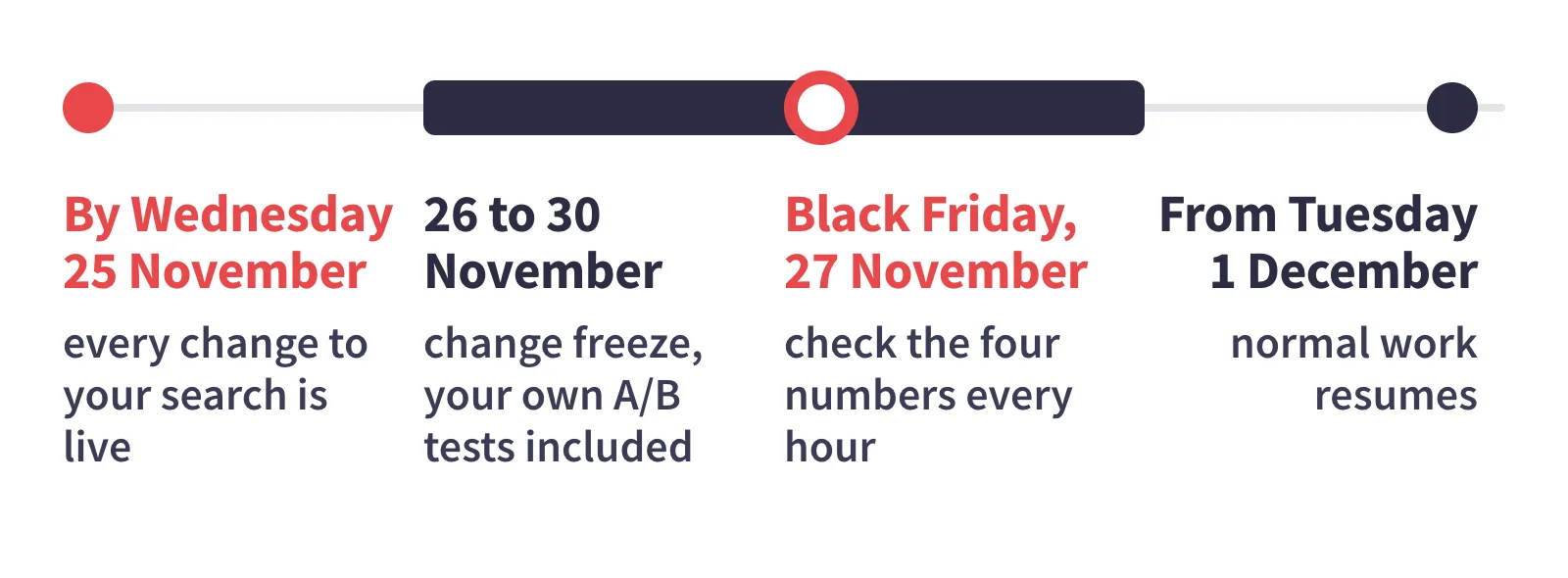
- By Wednesday 25 November: every change to your search is live.
- 26 to 30 November: change freeze, your own A/B tests included.
- Black Friday, 27 November: check the four numbers every hour.
- From Tuesday 1 December: normal work resumes.
What Black Friday does to your search
Every search is a request your shop search has to answer. Normally those requests are spread across the day; on Black Friday far more of them arrive together in just a few hours. But under heavy load a search engine answers more slowly, which means that a shopper who has just typed something waits longer for an answer.
Autosuggest, the suggestions that drop down while someone types, adds to the load. In many shops it queries the engine again after every keystroke, so a shopper typing "winter jacket" has sent one request per letter before the search itself goes out.
On top of that come the words themselves. Black Friday brings searches like "black friday deals" and "gift for dad". Many of them are typed on a phone, typos included.
Your search last handled most of these words in November of last year. Nobody on your team knows how it handles them today. The only way to find out is to try them, while there is still time to fix what comes back.
The tests to finish by Wednesday 25 November
The work splits cleanly in two. The shop team checks relevance, meaning whether a search returns the products the shopper meant. IT checks whether search stays fast under load.
For the shop team: does search find the right products?
- Replay last year's top searches. A report can tell you how often a term was searched; only the results page tells you whether the answer was any good.
- Search for your own deals in your shoppers' words. Product data and shoppers often don't share a vocabulary. If your PIM says "hot air fryer" and people search for "airfryer", the best deal in the shop can go unfound.
- Decide where "black friday" leads. Some shoppers enter exactly that and nothing else. Left alone, the engine may return whichever products happen to contain the two words in their description. If your shop supports redirects, rules that send one search term straight to a page you choose, point this one at your deals page.
- Read your autosuggest. Enter the first letters of your main deal terms, such as "black fr", and look at what the list offers. Last year's campaign or a sold-out product should not be in it, because the suggestion is the first answer a shopper gets.
How do you reduce zero-result searches before Black Friday?
A zero-result search is one that comes back with no products at all. If your shop or your search engine logs those searches, last November's list is the best preparation you have, and the way to reduce them is to work through it term by term. For each term on it, work out what the shopper wanted, then make sure the search can find it, for example by adding a synonym or setting a redirect.
Any term that still returns nothing today will return nothing on 27 November, unless something is changed before then.
For scale: across the industry, 10 to 15% of searches end with zero results (Hello Retail, 2026). That is an industry-wide figure. It says nothing about Black Friday in general or about your shop in particular, which is why your own list is the better guide. searchHub has a longer guide on getting rid of pages that say "no results found".
Yet zero results are only the visible half of the problem. The other half is weak results: the page does show products, just not the ones the shopper meant (a problem we often see made worse by AI-first search). They never appear in a zero-result report, which is the reason for typing the searches yourself.
For IT: does search stay fast under load?
- Load-test with real queries. A load test sends simulated visitors into the shop to show where it slows down. If you run one before the 25th, feed it last year's actual search terms in all their variety. Systems keep a cache, so a test that repeats one term measures the cache and looks fast every time.
- Set the timeout, and decide what the page shows after it. A timeout is the point at which the page stops waiting for the search engine. Agree on that limit now, and on the fallback: a short message with links to your main categories is far better than a spinner.
- Do the arithmetic on autosuggest. Does your search query the engine on every keystroke? Then estimate how many requests that makes in your busiest hour, and check that the engine can carry them.
- Name one person who may act. If your team maintains manual search rules, such as "show this brand first", pick one person who may switch off a single rule from 26 to 30 November without convening a meeting. Write the phone number down now.
After the 25th comes the hard part, which is doing nothing.
Why freeze changes from 26 November, and what does the freeze cover?
We recommend that every change to your search is live by Wednesday 25 November, and that a change freeze follows from Thursday 26 November through Cyber Monday, 30 November. For your search that means no engine updates and no new search rules.
The freeze covers your own A/B tests as well. Tests that are already running pause too. On Tuesday 1 December normal work resumes.
The reason is the traffic. Big events like Black Friday create traffic peaks, and a peak puts strain on a shop's architecture. A system under strain has less room for surprises, and every change is a possible surprise.
One exception applies during the freeze: a clear fault may be fixed. If a search term plainly returns nothing, or plainly returns the wrong products, fix that one term, or have the person you named switch off the rule behind it. Note what was changed and when. Everything else goes on a list for 1 December.
From the platform side: WEBSALE
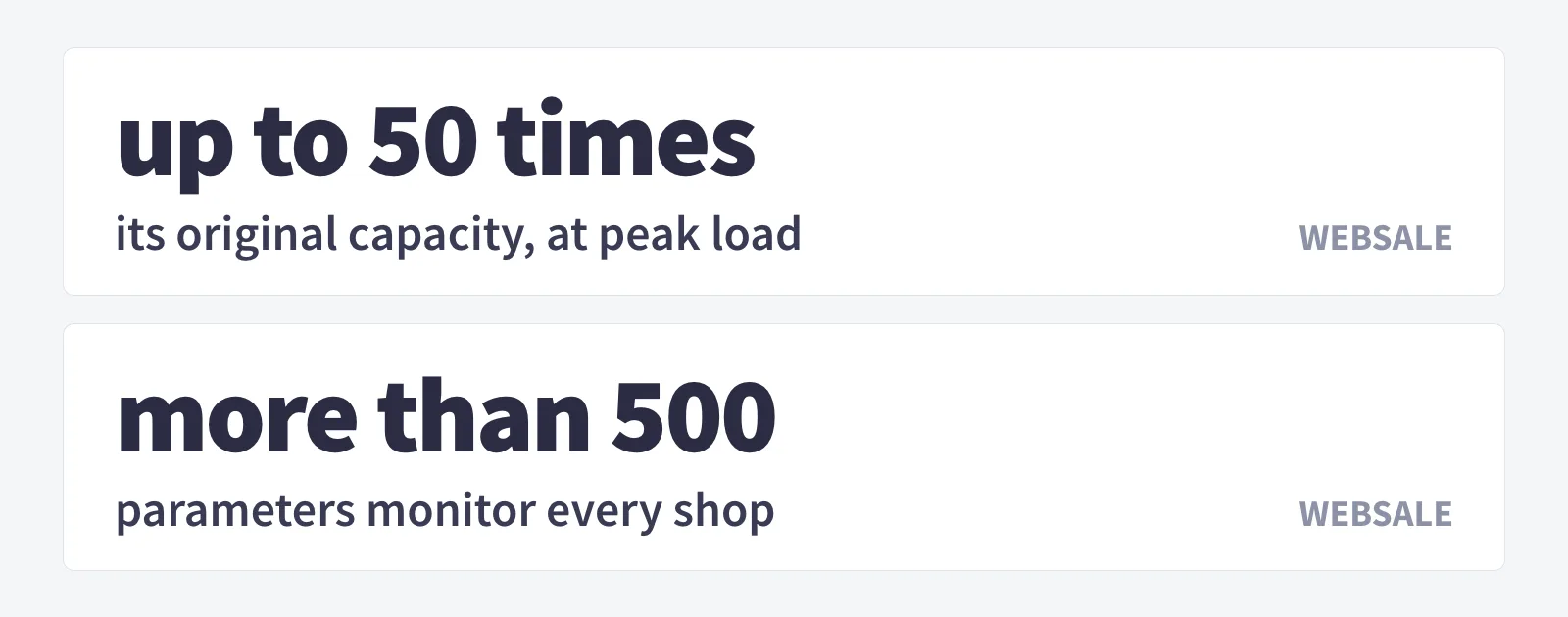
With WEBSALE, there is nothing to prepare on the shop-system side before Black Friday. Its hyperscaling architecture gives every shop the server capacity it needs. At peak load, that means the cloud scales to up to 50 times its original capacity, with no manual step.
So retailers neither have to book extra capacity nor spin anything up. The shop keeps running steadily, and shoppers get a smooth shopping experience.
WEBSALE is built for peaks like this all year round: more than 500 parameters monitor every shop. If a system component fails, support is alerted directly, around the clock, and can respond.
For your shop team, that means sales and campaigns can be prepared calmly, without keeping an eye on capacity. Ideally by 25 November, as this post describes. With WEBSALE, you don't have to worry about the shop or whether it stays reachable.
Why does searchHub keep running during the freeze?
searchHub keeps running because it works outside your shop's architecture and only tests search queries, so it touches nothing critical in your shop's systems. Why should you believe me, after I have just advised you to pause your own A/B tests? The explanation lies in how searchHub tests, and what it tests.
What searchHub does in front of your engine
searchHub sits in front of your engine. It works with the search engine you already have, without replacing it, and makes that engine perform better. Every search passes through searchHub on its way to the engine.
This is where searchHub's new approach comes in. It first asks what the shopper's search query means for your shop, and from that it translates the query for your shop, so the shopper's wish can be read correctly. So more of your shoppers reach checkout with the product they wanted.
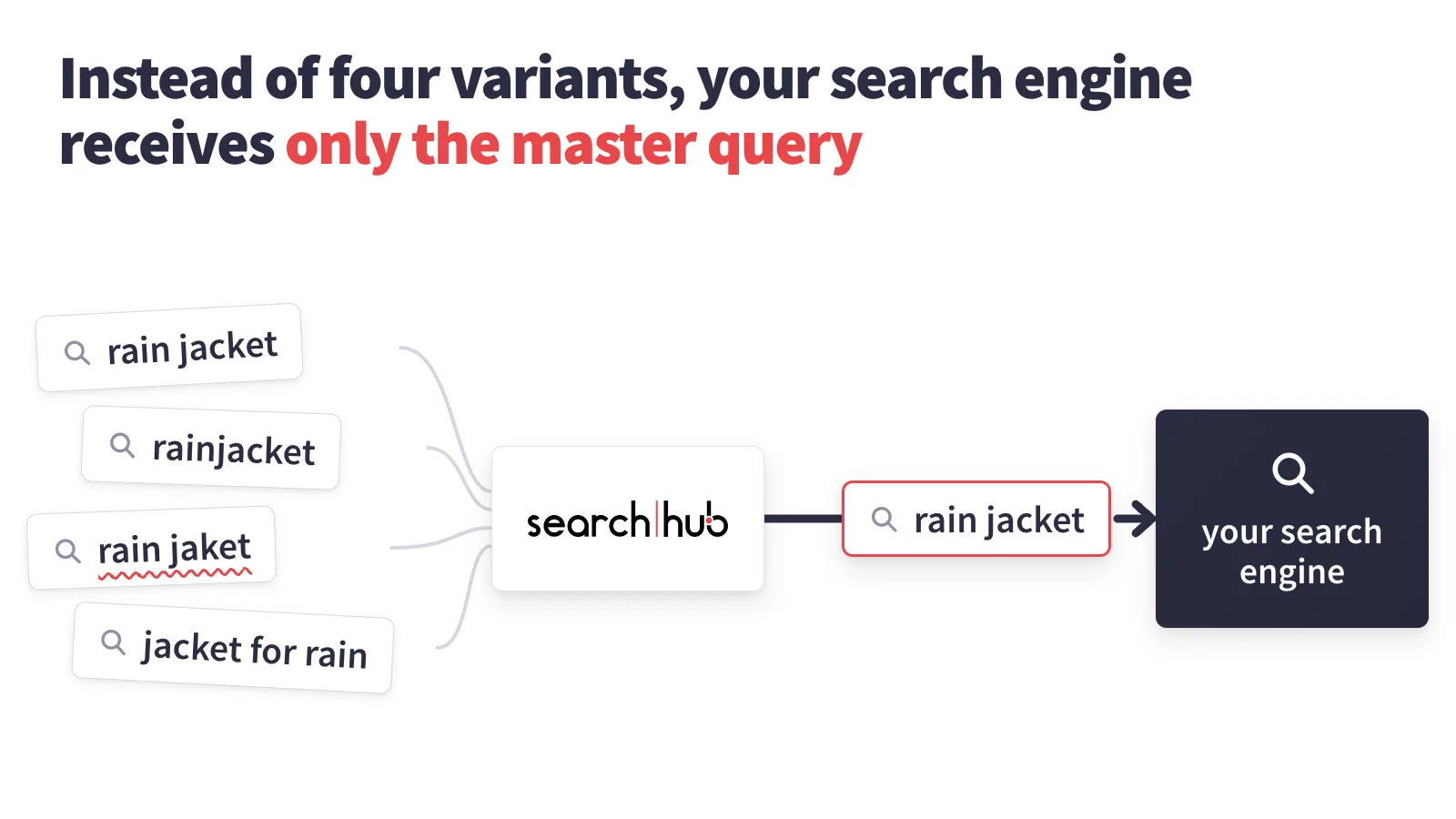
The challenge lies in how your shoppers put the same wish to the search box, in all sorts of different ways. For a rain jacket, one types "rain jacket", the next "rainjacket", a third "rain jaket" and a fourth "jacket for rain". To a search engine these are four different queries, and it will most likely answer each one differently, or one of them not at all. That is how a typo or an unusual wording ends in zero results in a shop that has the product in stock.
searchHub groups such variants by intent: the wish all those people share. For each intent it selects a master query: the single search term, out of all the variants, whose results most often lead to products being added to the basket. When someone types one of the variants in a group (one of the variants that doesn't convert as well), searchHub rewrites it to that group's master query before it reaches your engine. So all four people get the same basket-filling result, the best answer your own engine can give, until one of the other variants leads to an even better result and proves it in an A/B test.
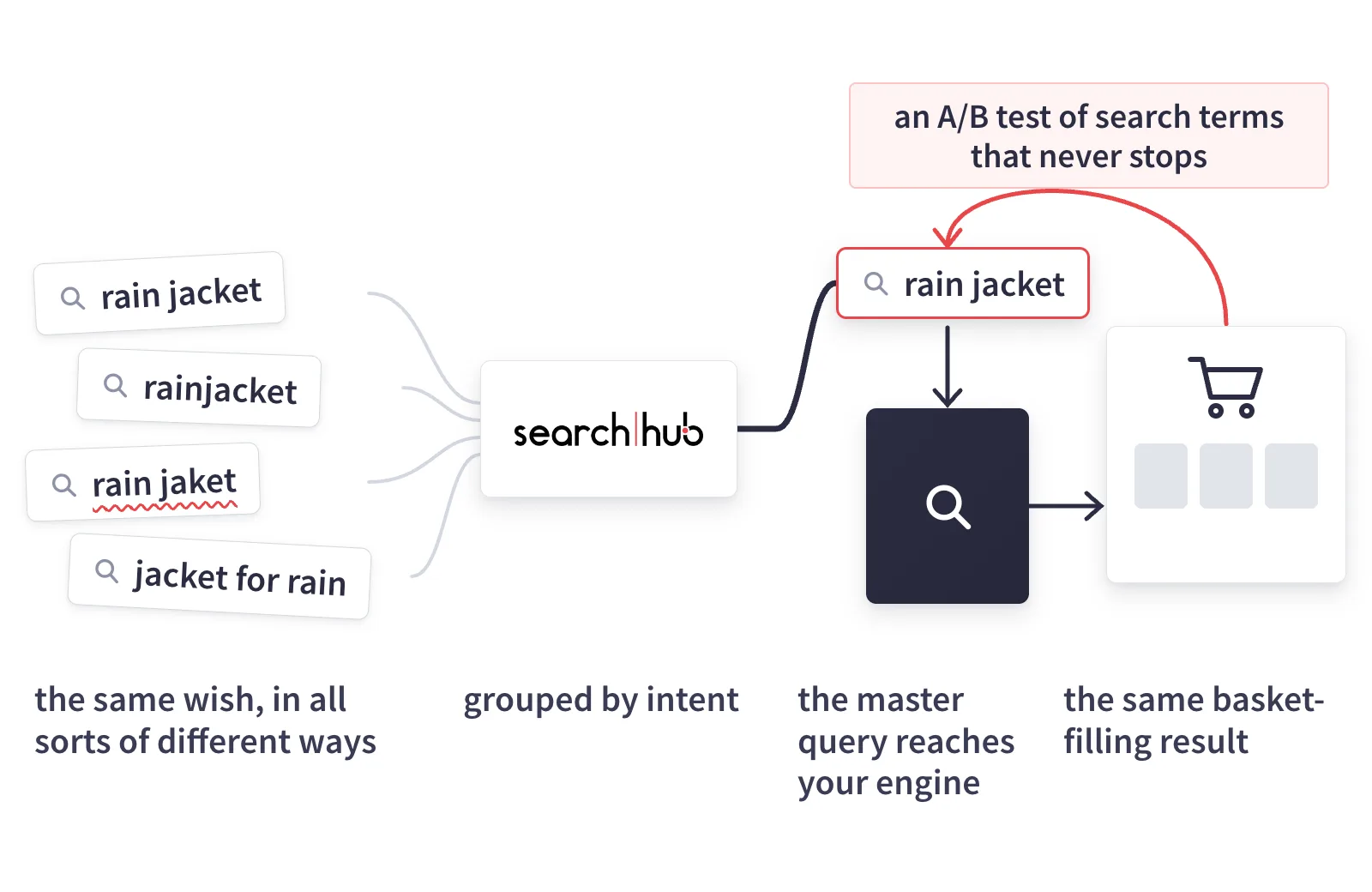
- Shoppers type the same wish in all sorts of different ways: "rain jacket", "rainjacket", "rain jaket", "jacket for rain".
- searchHub groups the variants by intent.
- The master query, "rain jacket", reaches your engine.
- Everyone gets the same basket-filling result. An A/B test of search terms keeps checking it, and that testing never stops.
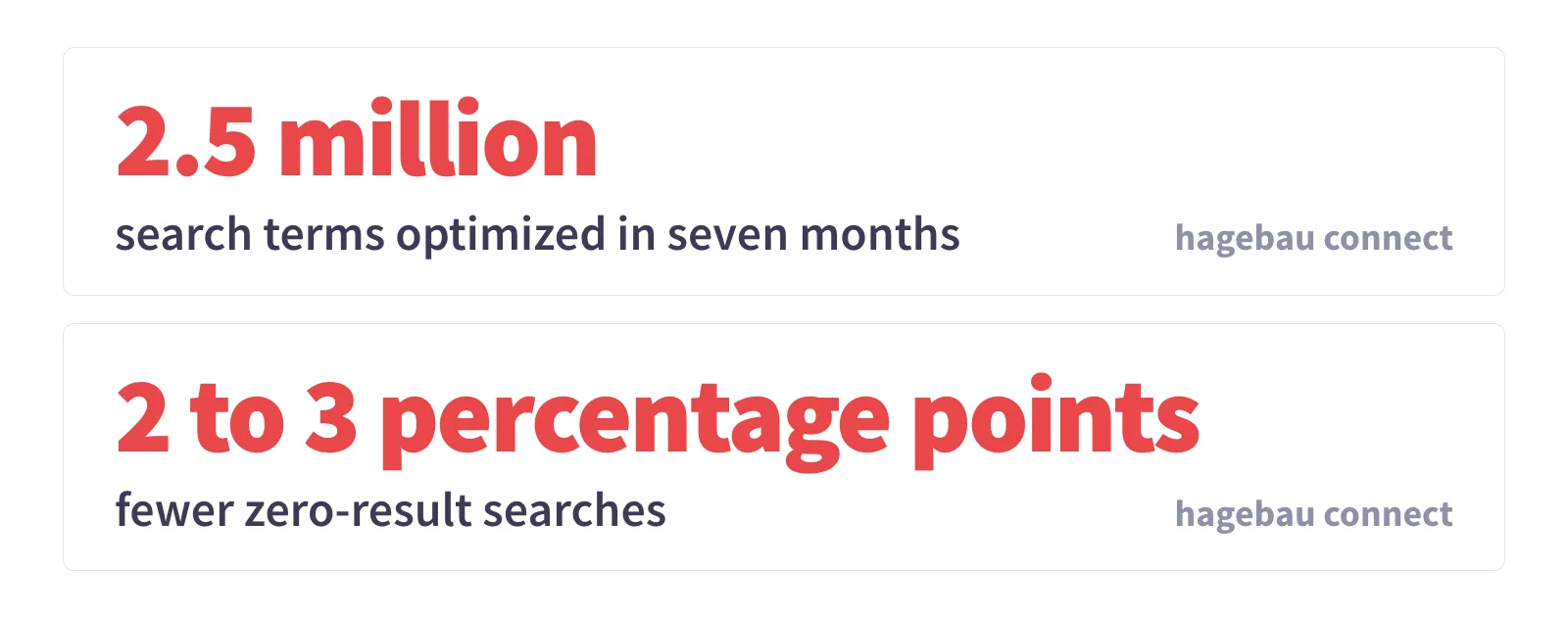
A good example of how such a method can work on an existing search is hagebau connect. In seven months, searchHub optimized 2.5 million search terms. Zero-result searches dropped by 2 to 3 percentage points. You can read more about it on the page about how searchHub improves the onsite search you already have.
How the master query is chosen: an A/B test of search terms
A master query is never chosen once and then left alone. searchHub decides it with an A/B test, and the candidates in that test are search terms. searchHub does not test your shoppers, and it does not test versions of your pages.
The test runs inside searchHub, within the variants of one intent. The current master query is always tested against another variant from the same group that may do better, measured by clicks and adds to basket. If that variant wins, searchHub makes it the new master query automatically, and every variant in the group gets the new master query's results from then on.
The question behind it is which search term best matches what shoppers mean when they set out to buy a product. That is why this testing never stops.
The search box is the first and often the last chance, without cookies or a customer profile, to read the shopper's wish correctly and conjure up a personalized result sorted to match it. The same standard applies to everything searchHub changes: every change is A/B-tested against real user behavior and business outcomes. Changes that don't measurably improve results are rolled back.
Why this method should be safe in a week when everything else stands still
Your freeze exists because the extra load strains your shop's architecture. searchHub's rewriting does not run inside that architecture.
It runs in its own separate Docker process, a self-contained program that is isolated from the software around it. That process handles search queries. Nothing else. That is why searchHub's testing touches no critical systems of your shop.
What searchHub means for load at the peak
Are extra requests on Black Friday bringing your system to a boil? With searchHub, that rush comes with a nice side effect: think of the four rain-jacket searches from the example above. They all go to searchHub and are recognized as the same shopper wish.
Instead of four variants, your search engine receives only the master query for that intent, in the example "rain jacket". That lowers the volume of search requests reaching your search engine considerably. And it lowers overall server load significantly.
Also quite nice, though not so popular with the search vendors themselves: fewer search requests mean lower license costs for your shop search! Oh, but we don't stop there ;-): most search engines keep master-query results in the cache, and so deliver the answer even faster … and cheaper!
Once Black Friday arrives, the hard part begins: watching without touching … or not?
Black Friday itself: what to watch, and what to leave alone
From Black Friday morning on, look at four numbers every hour:
- Response time of search. Watch the slowest responses, because an average hides them. If they keep getting slower from hour to hour, tell IT before the average moves.
- The zero-result rate. A sudden jump often means a new term has appeared, such as a deal name from a newsletter or an ad.
- Searches with results but no clicks. That is where weak results show up.
- Errors and timeouts on the search page. WEBSALE keeps an eye on operations that day, as on any other.
If you notice something yourself, you reach WEBSALE on 27 November the usual way: around the clock, by phone, email and ticket. If the impact is serious, the support team responds within one hour at most.
Set up one shared chat for the shop team and IT for Black Friday, and watch those four numbers together. Whoever spots a problem first should be one message away from the person who can fix it.
The rule of the freeze still applies: a clear fault gets fixed and noted, and everything else waits for 1 December.
After Cyber Monday: clean up, then measure fairly
Before anything is tidied away, save two lists from the week: the top search terms and the zero-result searches. Next November's preparation starts with them.
Then go through the search rules and redirects you added for the sale. Some only made sense for that one week, and they should come out before they mess up results in December.
From Tuesday 1 December you can change and test again. When you evaluate a change, compare it with a normal week or run it as an A/B test of your own; a comparison with Black Friday week mostly measures Black Friday.
In short
- By Wednesday 25 November: the shop team has run its four tests at the search box and worked through the zero-result list. IT has fed real queries to its load test, if it runs one, set the timeout and what the page shows after it, done the arithmetic on autosuggest and named one person who may switch off a single search rule.
- Thursday 26 November through Cyber Monday, 30 November: the change freeze, your own A/B tests included. A clear fault may still be fixed during that time. searchHub keeps rewriting and keeps testing pairs of variants in the background.
- Black Friday, 27 November: check the four numbers every hour, and touch only a clear fault.
- From Tuesday 1 December: take out the sale rules, and evaluate every change in a perfectly ordinary week.
One thing even we can't see: how many of this year's Black Friday shoppers will arrive from an AI assistant. Once they are in your shop and want to find something, they type into the same search box as everyone else.
From searchHub: the business case
Get the business case for your shop. We read your real query data, not a sample. Your own numbers, in hours. No sales call required to receive it.
Enter your work email on the business case page and press "Email me the business case".
From WEBSALE: a free shop analysis
Specific recommendations instead of general best practice. We analyze your online shop across technology, UX and features. Then we show you where shoppers drop off and which potential goes unused, and which measures would do the most for your revenue.
Some potential only shows on a second look. Our shop analysis gives you exactly that outside view, with no obligation, and with ecommerce experience since 1999.